Exposure merge
Your bracket set combined into one frame that keeps the window view and the shadow detail in the same photograph.
HDR editing
Bracketed exposures merged into one natural frame — real window views, neutral color, straight lines, and the same look across the whole listing.
$0.99 per image.
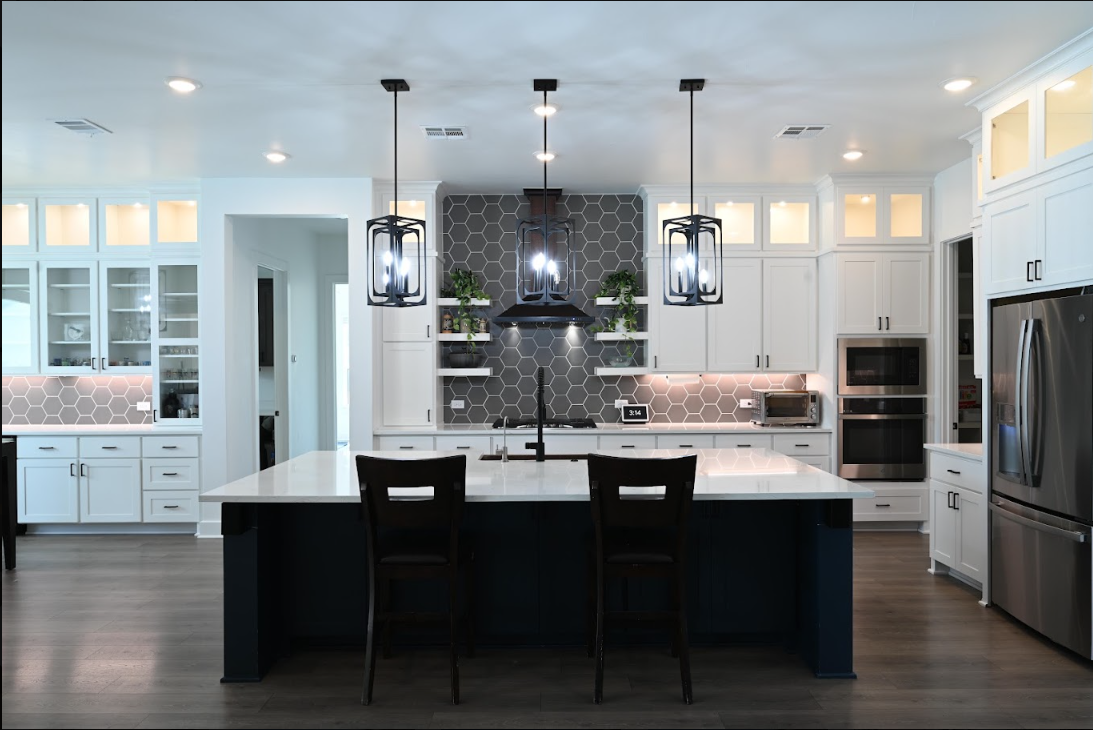
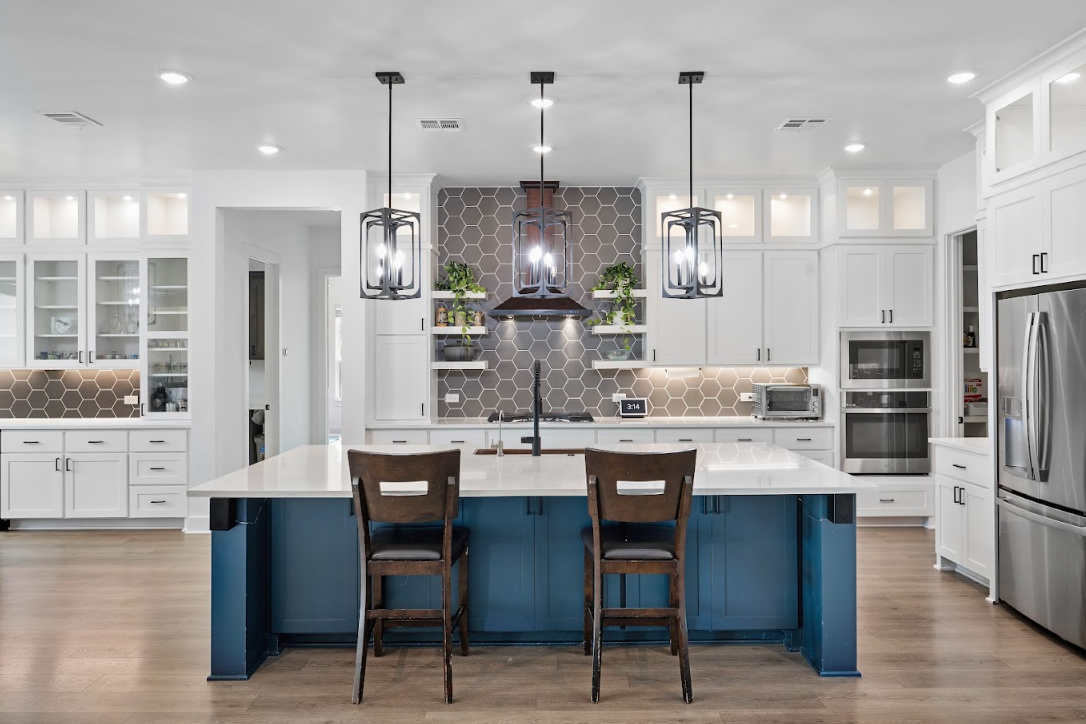
How the merge works
Each bracket contributes the part of the scene it actually recorded well.
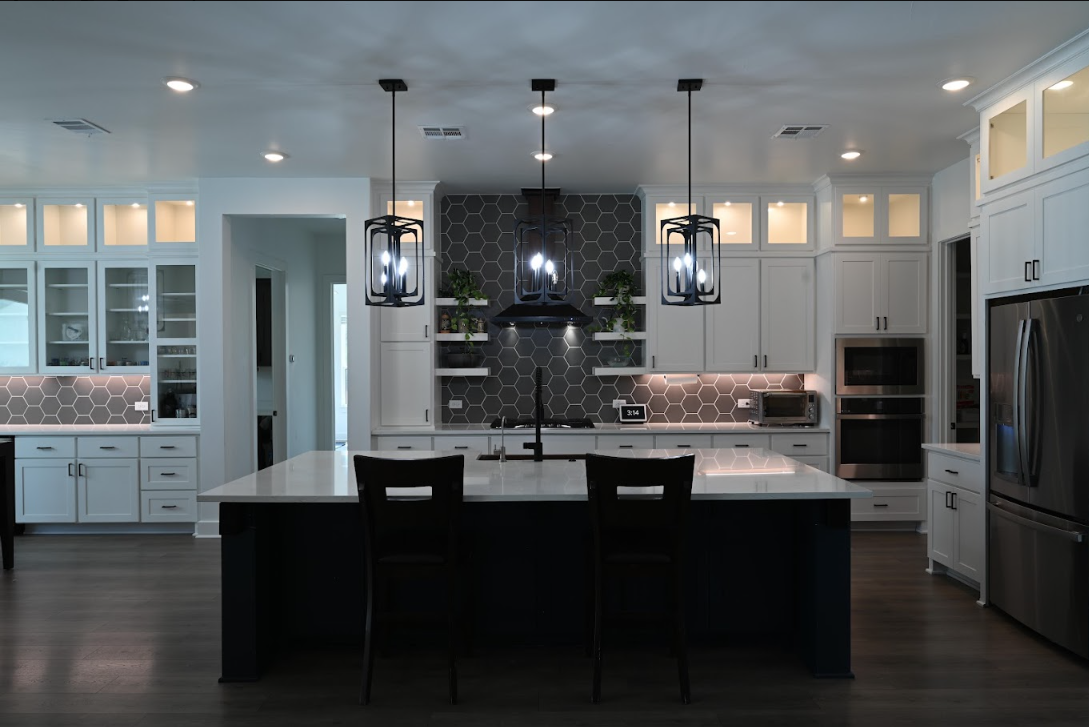
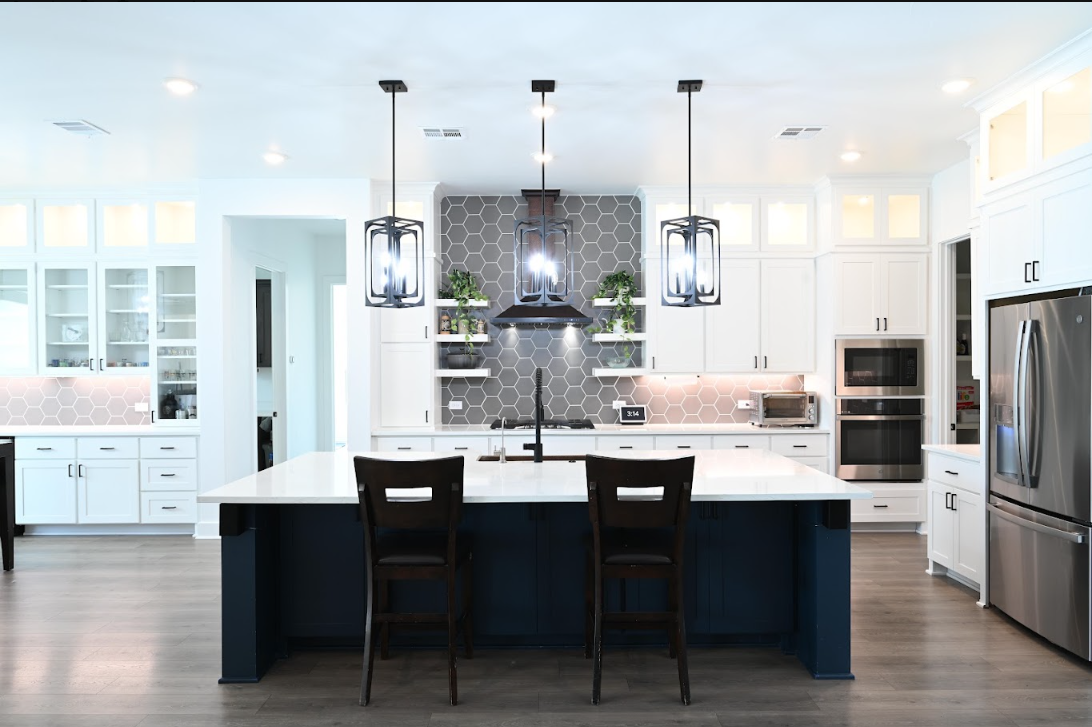 Merging…
An interior routinely spans more dynamic range than a single exposure can hold. Expose for the room and the window goes white; expose for the window and the room goes muddy. Bracketing records both ends, and the edit decides how much of each to keep.
The judgement is where quality lives. Pull too hard and you get grey window views, glowing halos around the frames, and interiors that look lit from nowhere. Pull correctly and the image keeps a natural gradient — bright near the glass, softer as it moves into the room.
What's included
Your bracket set combined into one frame that keeps the window view and the shadow detail in the same photograph.
The view outside recovered and balanced so it reads as a window, not a blown-out panel of white.
Mixed tungsten, daylight and LED neutralised to a consistent base across the whole set.
Straight verticals, corrected distortion and a level horizon on exteriors.
The whole listing finished to one look, so the gallery does not jump in brightness room to room.
A shoot-side workflow that stays fast on location, which is what makes HDR practical when you run several listings a day.
Shoot side
The edit can only recover what the brackets recorded.
FAQ
It is the process of merging several exposures of the same frame — typically one metered for the windows, one for the room, and one for the shadows — into a single image that holds detail across the whole dynamic range. Done well it looks like what your eye saw standing in the room, not like a tone-mapped illustration.
Three at two-stop spacing covers most interiors. Rooms with very bright windows or very dark corners benefit from five. What matters more than the count is that the darkest frame genuinely holds the window and the brightest frame genuinely opens the shadows.
Almost always over-processing: too much local contrast, halos along the window frames and ceiling lines, and shadows lifted until the image loses its depth. A good merge keeps a natural falloff from window to interior and leaves some shadow in the shadows.
Yes, for reliable results. Hand-held brackets can be aligned, but a tripod protects the frame edges and the verticals, and it removes the ghosting risk that comes from moving between exposures.
$0.99 per image. Pricing detail, including alterations and video, is on the pricing page.
Upload one listing's brackets and see the merge come back on your style.